Tax Group Deregistration User Manual
Status
Issuing Authority
Document Control Information
Document Version Control
| Version No. | Date | Prepared/Reviewed by | Comments |
| 1.0 | 01-Oct-22 | Federal Tax Authority | User Manual for EmaraTax Portal |
Annexure
The below are the list of User manuals that you can refer to
| S. No | User Manual Name | Description |
| 1 | Register as Online User | This manual is prepared to help you navigate through the Federal Tax Authority (FTA) website and create an EmaraTax account with the FTA. |
Navigating through EmaraTax
The Following Tabs and Buttons are available to help you navigate through this process
| Button | Description |
| In the Portal | |
The Federal Tax Authority offers a range of comprehensive and distinguished electronic services in order to provide the opportunity for taxpayers to benefit from these services in the best and simplest ways. To get more information on these services Click Here
Introduction
Login to EmaraTax
 |
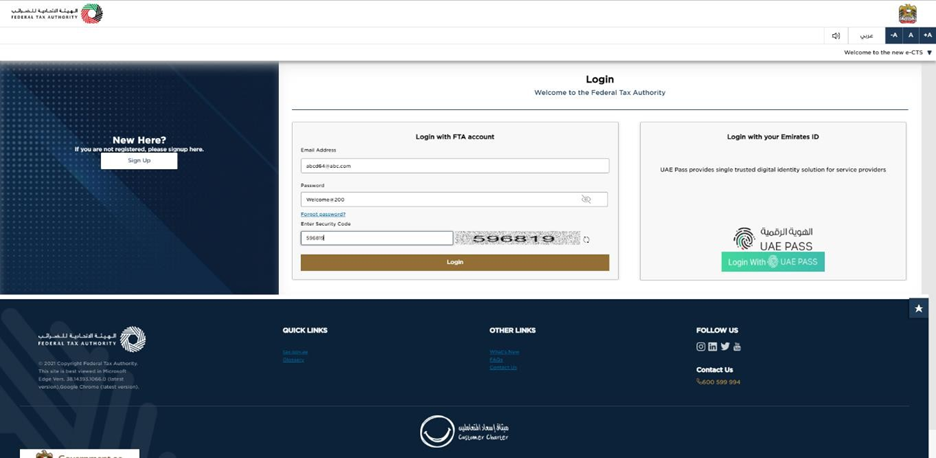
· You can login into the EmaraTax account using your login credentials or using UAE Pass. If you do not have an EmaraTax account, you can sign-up for an account by clicking the ‘sign up’ button. If you have forgotten your password, you can use the “forgot password” feature to reset your password. · If you login via your registered email and password, on successful login, the EmaraTax online user dashboard will be displayed. If you had opted for 2 factor authentication, you will be required to enter the OTP received in your registered email and mobile number to successfully login. · if you wish to login via UAE Pass, you will be redirected to UAE Pass. On successful UAE Pass login, you will be redirected back to the EmaraTax online user dashboard. |
|
Step |
Action |
|
(1) |
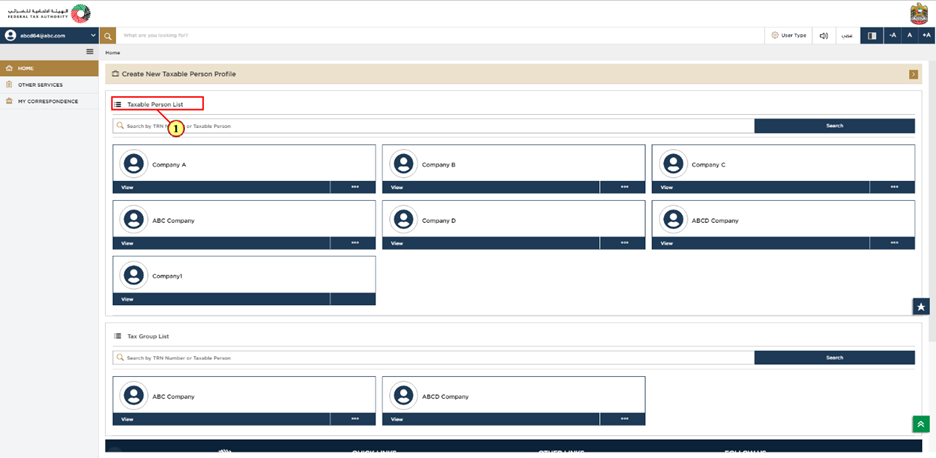
On successful login, the Taxable Person list screen is displayed. It displays the list of the Taxable Person linked to your EmaraTax user profile. If there are no Taxable Person linked to your user profile, this list will be empty and you would need to create a Taxable Person. |
Tax Group List

|
Step |
Action |
|
(1) |
Select the Tax Group that needs to be amended from the Tax Group list and click ‘View’. |
EmaraTax Tax Group dashboard

|
Step |
Action |
|
(1) |
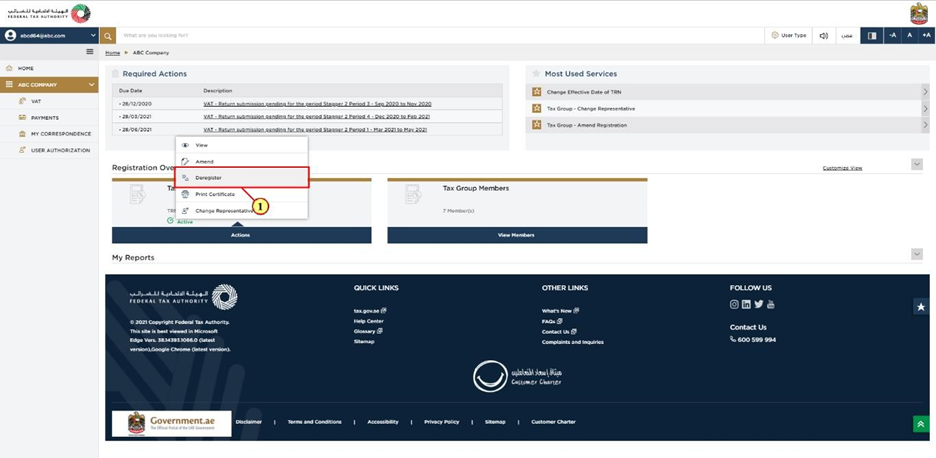
Click on 'Actions' |
|
Step |
Action |
|
(1) |
Select ‘Deregister’ to initiate the Tax Group De-Registration application. |
Guidelines and Instructions

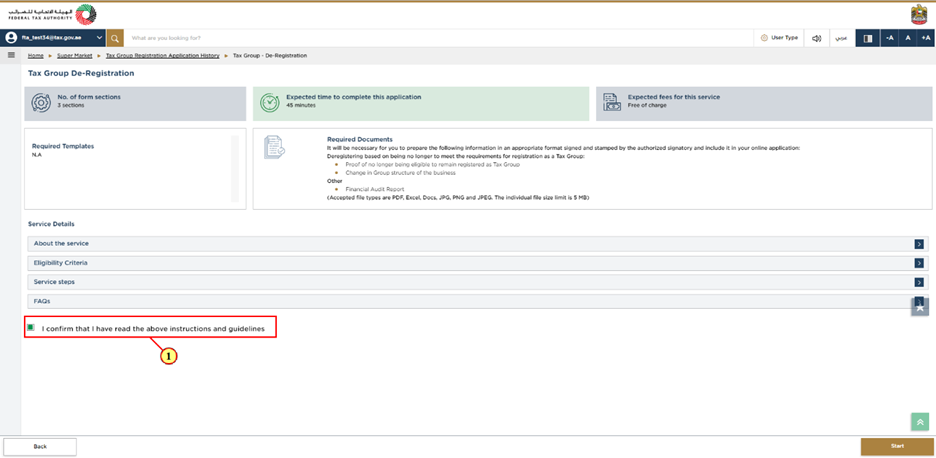
 | The ‘guidelines and instructions’ page is designed to help you understand certain important requirements relating to Tax Group De-Registration in the UAE. It also provides guidance on what information you should have in hand when you are completing the Tax Group De-Registration application. |
|
Step |
Action |
|
(1) |
· A screen will appear with guidelines and instructions. · Read the guidelines and instructions for Tax Group De-Registration and mark the checkbox to confirm. |
|
Step |
Action |
|
(1) |
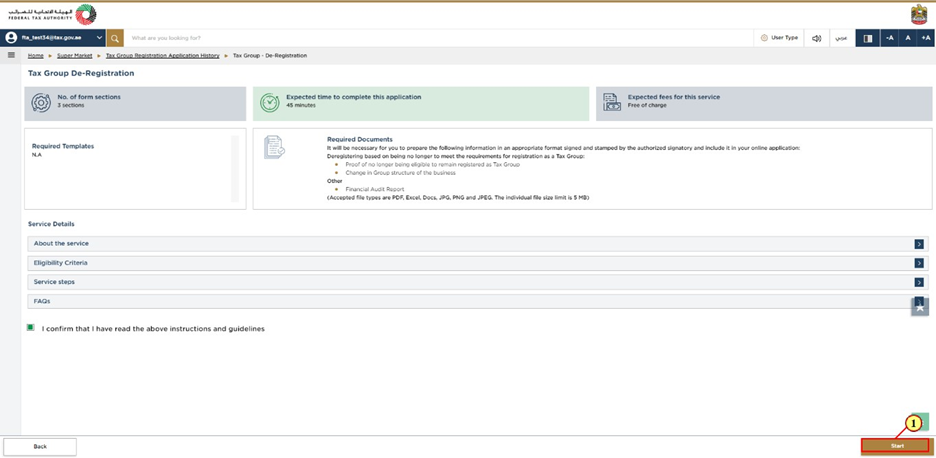
Click ‘Start’ to initiate the Tax Group De-Registration application. |
|
Step |
Action |
|
(1) |
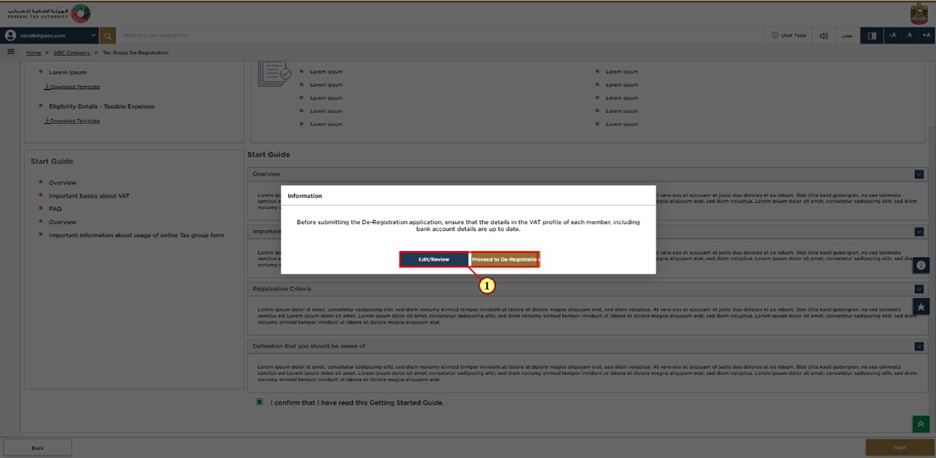
· Before submitting the deregistration application, ensure that the details in the VAT profile of each member, including bank details are up to date. · Click ‘Edit / Review’ if you want to modify your bank details before proceeding with the deregistration application. · Click ‘Proceed to Deregistration’ if you want to proceed directly to the Tax Group deregistration application. |
De-Registration Information
|
|
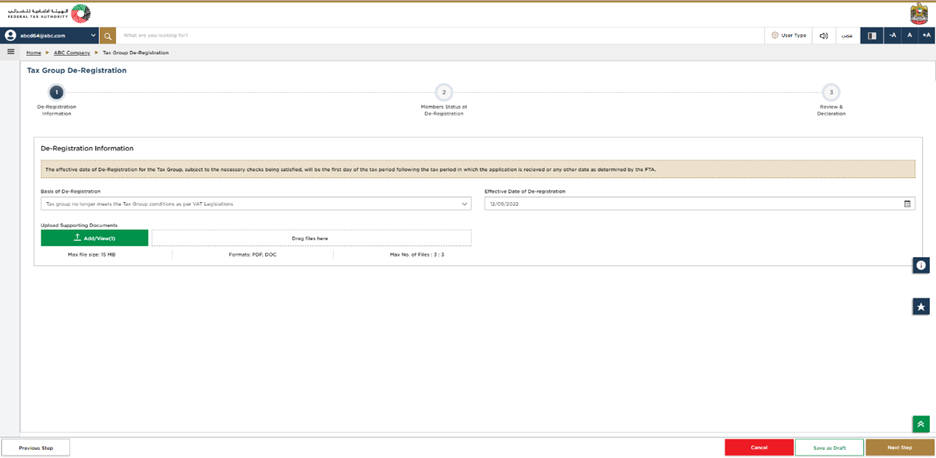
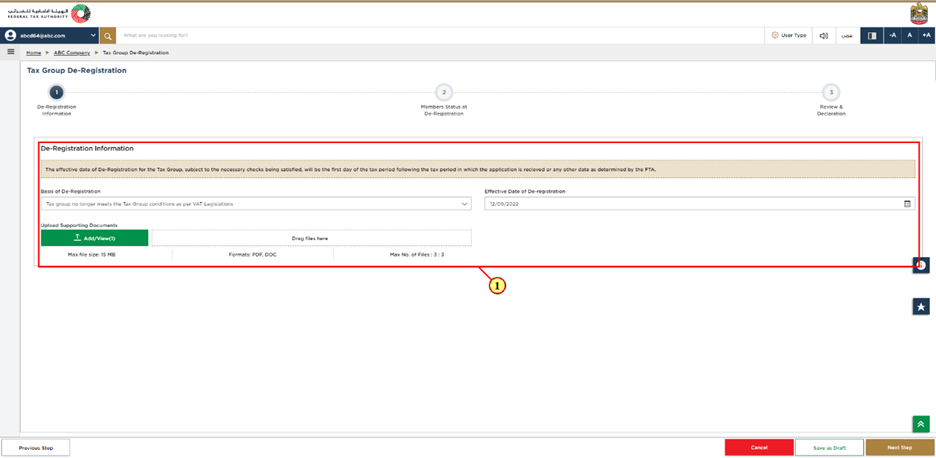
· The application is divided into a number of short sections which deal with various aspects of the Tax Group De-Registration process. The progress bar displays the number of sections required to complete the application. The section you are currently in, is highlighted as blue. Once you progress to the next section successfully, the previous section will be highlighted as green. · In order to move from one section to the next, all mandatory fields of the current section must be completed. Any field that is not marked as ‘Optional’ is mandatory and must be entered. · Ensure that, the data you enter in the application, is matching to the relevant supporting documents, in order to avoid rejection or resubmission of your application. |

|
Step |
Action |
|
(1) |
· Select the basis, on which you are de-registering from VAT. · Based on the basis of deregistration selected, the input fields will vary. Provide the details and upload all the mandatory documents. · Enter the Effective Date for De-registration. · Upload supporting documents |

|
|
· For a UAE Government body, EmaraTax provides additional fields to provide the Cabinet Decision Number, reason, date and attachments fields in order to proceed with the De- Registration application. · Registrant should specify the estimated effective date of disbanding the Tax Group and provide the reason for such date. |


|
Step |
Action |
|
(1) |
Click Next Step to proceed to the 'Member Status at De-Registration' section. |
Members Status at De-Registration
|
Step |
Action |
|
(1) |
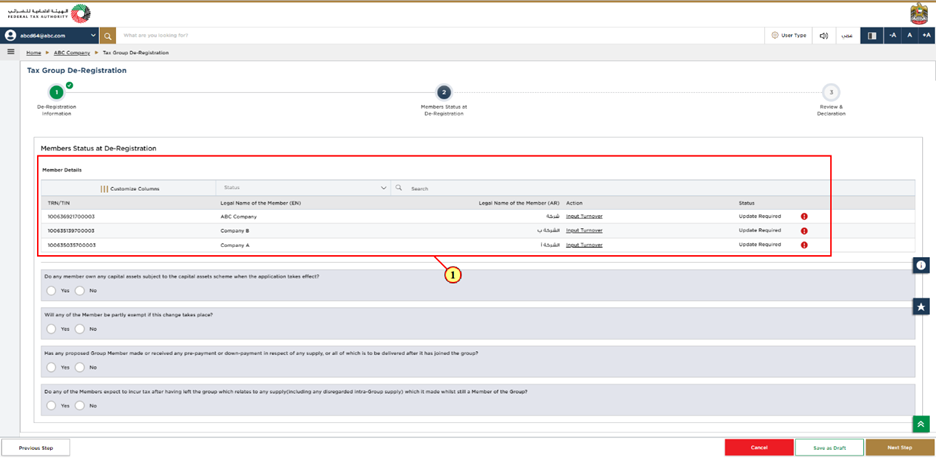
· You are required to provide the details of each of the group member to accurately arrive at the TRN status of each of the members. · Click on ‘Input Turnover’ to update the turnover details of each member in the Tax Group. |
|
Step |
Action |
|
(1) |
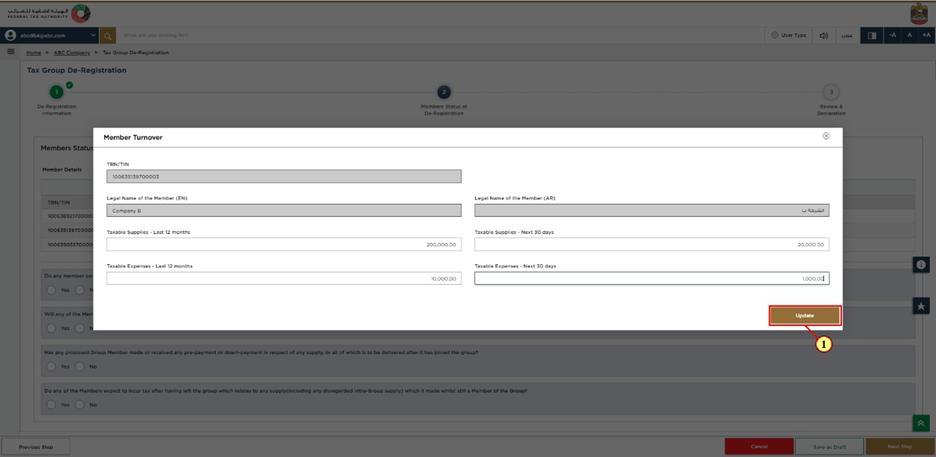
Enter the Taxable supplies and Taxable expenses details and click on ‘Update’. |

|
Step |
Action |
|
(1... |