Tax Agent User Manual Taxable Person – Link Juridical Person Tax Agent to Taxable Person
Status
Issuing Authority
Navigating through EmaraTax
The following Tabs and Buttons are available to help you navigate through this process:
|
Button |
Description |
|
In the Portal |
|
The Federal Tax Authority offers a range of comprehensive and distinguished electronic services in order to provide the opportunity for tax agents to benefit from these services in the best and simplest ways.
Introduction
This manual is prepared to help a registered or non-registered Taxpayer to navigate through the Federal Tax Authority EmaraTax portal to appoint a Juridical Person Tax Agent for managing his/her Taxpayer account. The Taxpayer can select the required access privileges to be granted to the Juridical Person Tax Agent and submit the Juridical Person Tax Agent linking request application. The Juridical Person Tax Agent can accept or reject the linking request. On accepting the Taxpayer request, The Juridical Person Tax Agent shall be linked to the Taxable Person.
Login to EmaraTax as the Taxable Person Account Admin

 | You can login into the EmaraTax account using your login credentials or using UAE Pass. If you do not have an EmaraTax account, you can sign-up for an account by clicking the ‘Sign Up’ button. If you have forgotten your password, you can use the 'Forgot password?' feature to reset your password. |
Link Juridical Person Tax Agent to Taxable Person
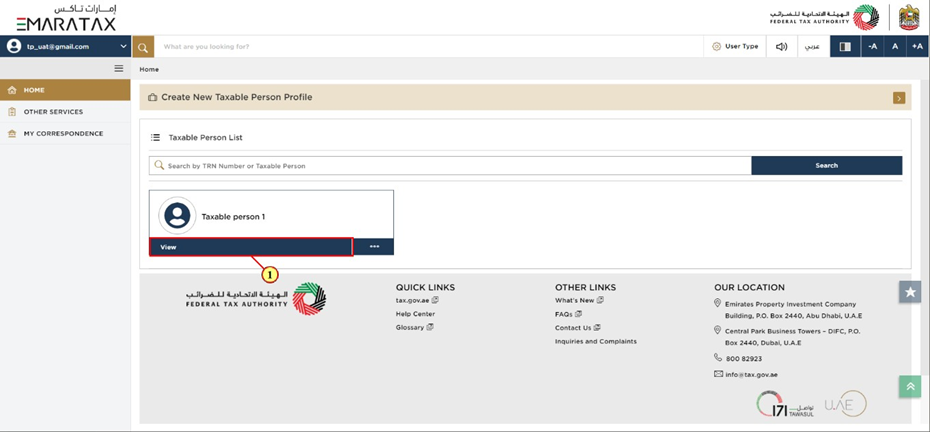
|
Step |
Action |
|
(1) |
Click 'View' on the Taxable Person tile. |
Taxable Person Dashboard
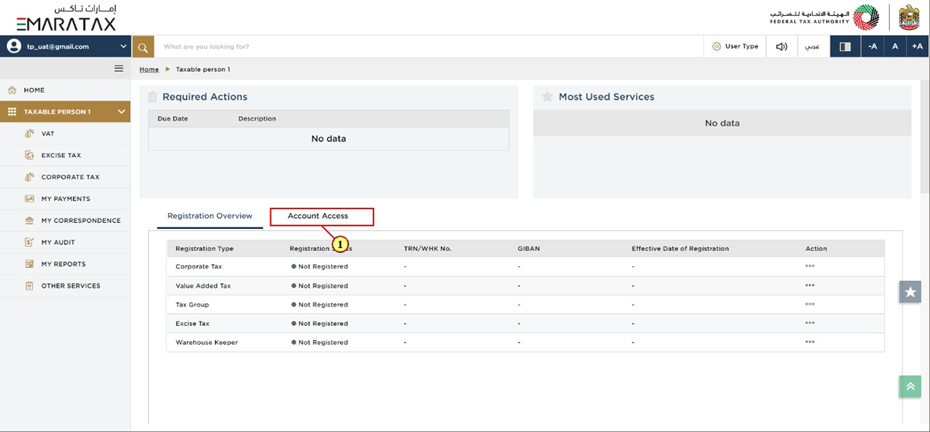
|
Step |
Action |
|
(1) |
Click on 'Account Access' tab. |
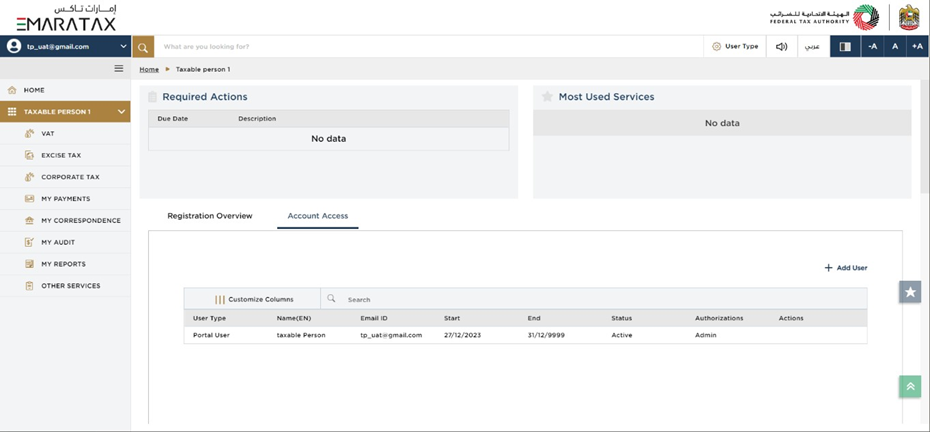
 | The Account Access page displays all the users linked to the Taxable Person along with their User Type and Status. |

|
Step |
Action |
|
(1) |
Click ‘Add User’ to link a Juridical Person Tax Agent to the Taxable Person. |
Add User Authorization

|
Step |
Action |
|
(1) |
From the dropdown list, select ‘Juridical Person Tax Agent’ as the User Type. |
Tax Agency Appointment
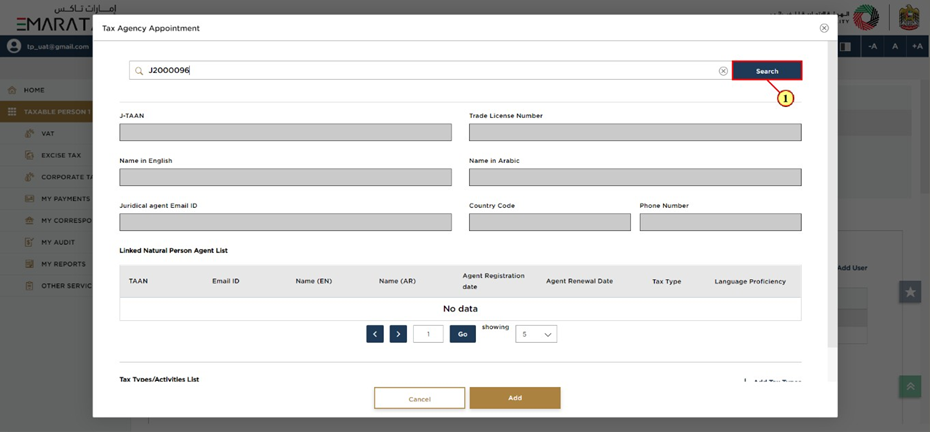
|
Step |
Action |
|
(1) |
Search for the Juridical Person Tax Agent to be linked, using the Juridical Person Tax Agent Number (J-TAAN). |
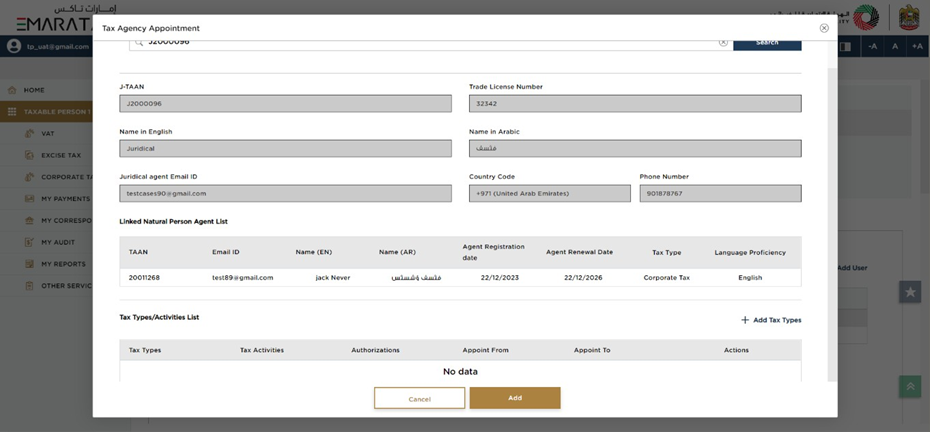
 | The Juridical Person Tax Agent related details along with their Linked Natural Person Agent List will be auto-populated. |
|
Step |
Action |
|
(1) |
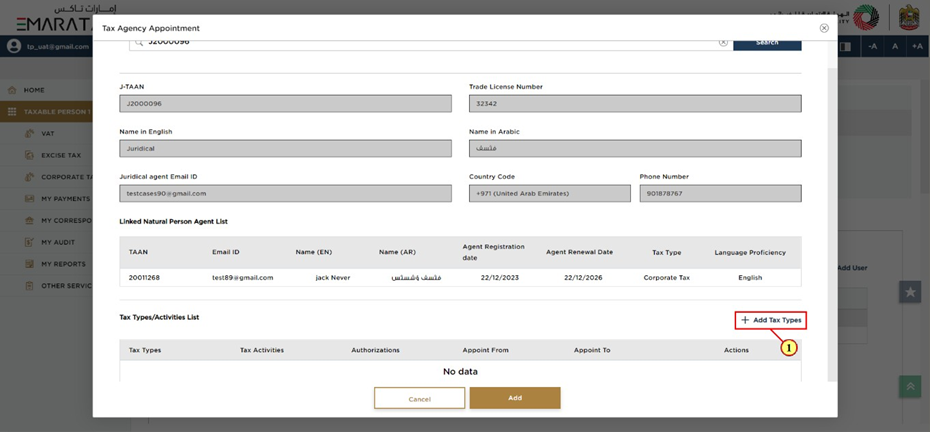
Click ‘Add Tax Types'. |
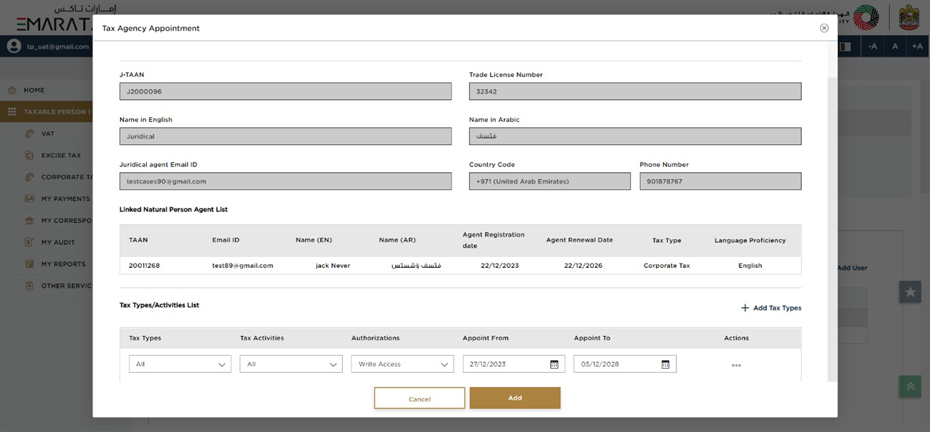
 | Select the Tax Types and Tax Activities that the Juridical Person Tax Agent should be authorized with. You can also provide a date range to limit the time period within which the Juridical Person Tax Agent can have access to your Taxable Person account. |
|
Step |
Action |
|
(1) |
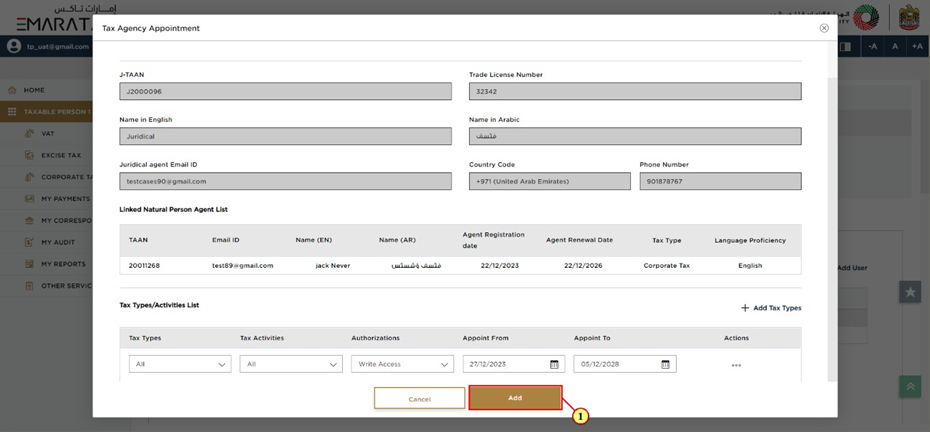
- Click ‘Cancel’ to close the pop-up without saving the details. - Click ‘Add’ to save the details. |
Post Application Submission
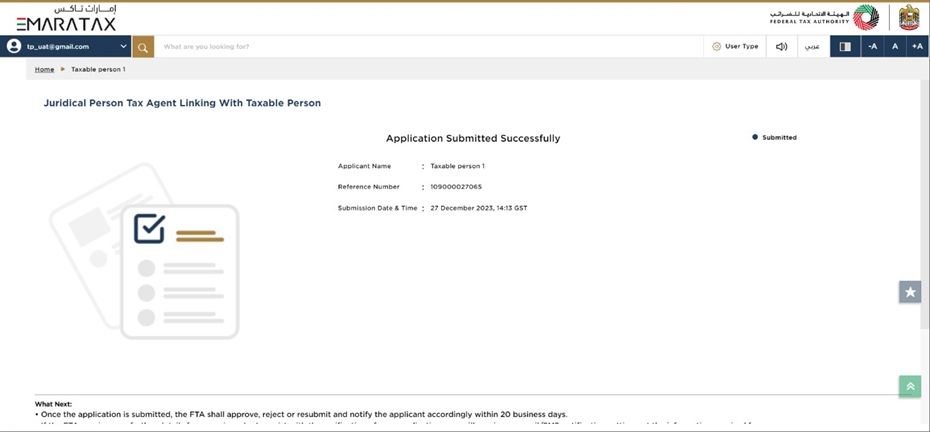
 | - Once your application is submitted successfully, a Reference Number is generated for your submitted application. Note this reference number for... |