Resubmit Excise Tax Voluntary Disclosure - User Manual
Status
Issuing Authority
Document Control Information
Document Version Control
| Version No. | Date | Prepared/Reviewed by | Comments |
| 1.0 | 01-Oct-22 | Federal Tax Authority | User Manual for EmaraTax Portal |
Annexure Section
The below are the list of User manuals that you can refer to
| S. No | User Manual Name | Description |
| 1 | Register as Online User | This manual is prepared to help you navigate through the Federal Tax Authority (FTA) website and create an EmaraTax account with the FTA. |
Navigating through EmaraTax
The Following Tabs and Buttons are available to help you navigate through this process
| Button | Description |
| In the Portal | |
The Federal Tax Authority offers a range of comprehensive and distinguished electronic services in order to provide the opportunity for taxpayers to benefit from these services in the best and simplest ways. To get more information on these services Click Here
Introduction

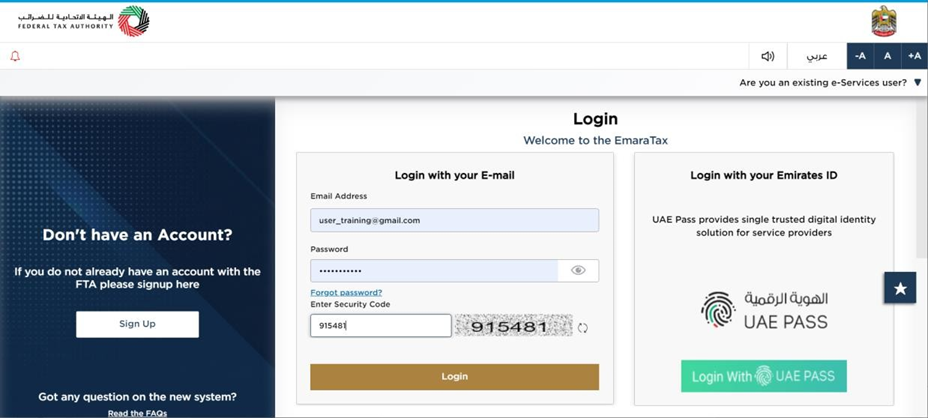
EmaraTax Login Page
 |
- You can login into the EmaraTax account using your login credentials or using UAE Pass. If you do not have an EmaraTax account, you can sign-up for an account by clicking the ‘sign up’ button. If you have forgotten your password, you can use the “forgot password” feature to reset your password. - If you login via your registered email and password, on successful login, the EmaraTax online user dashboard will be displayed. If you had opted for 2 factor authentication, you will be required to enter the OTP received in your registered email and mobile number to successfully login. - If you wish to login via UAE Pass, you will be redirected to UAE Pass. On successful UAE Pass login, you will be redirected back to the EmaraTax online user dashboard. |
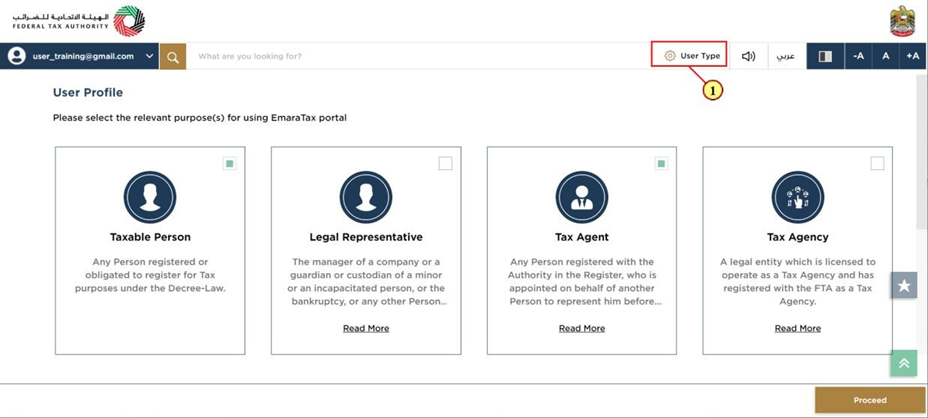
User Type Selection
| Step | Action |
| (1) |
Click here to select the user type |
| Step | Action |
| (1) |
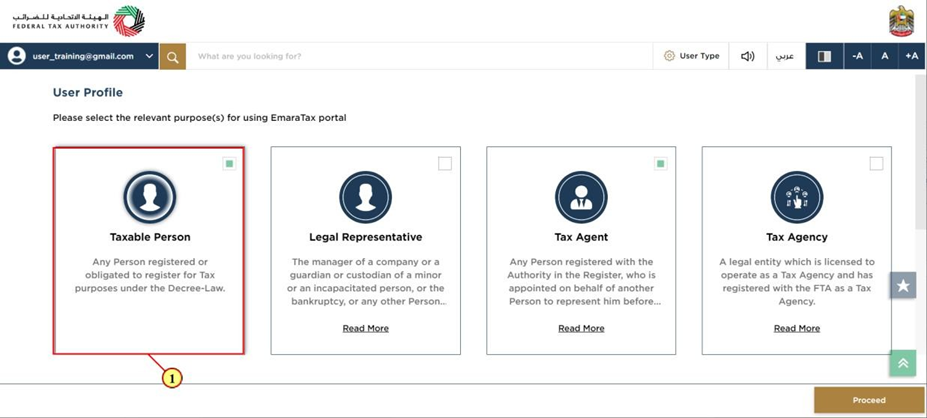
Select the Taxable Person tile |

| Step | Action |
| (1) |
Click on 'Proceed' to proceed to the Taxable Person |
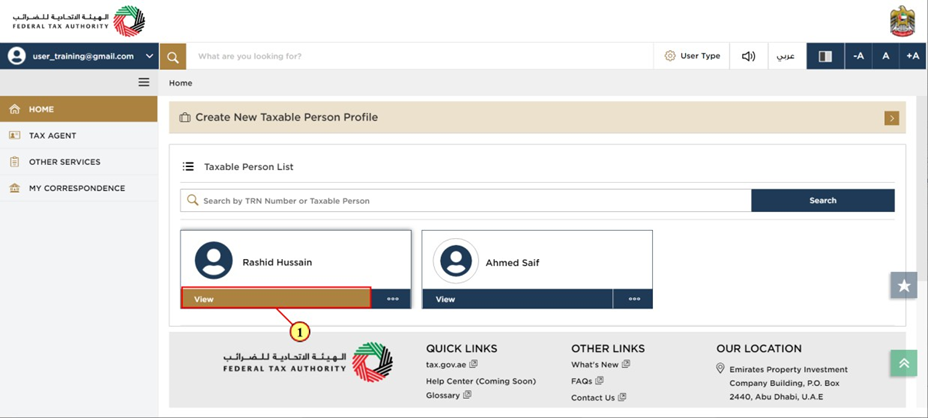
Logged in User Dashboard
| Step | Action |
| (1) |
Click here to view the Taxable Person dashboard |

| Step | Action |
| (1) | Click here to access Excise Tax module. |
Excise Tax Module
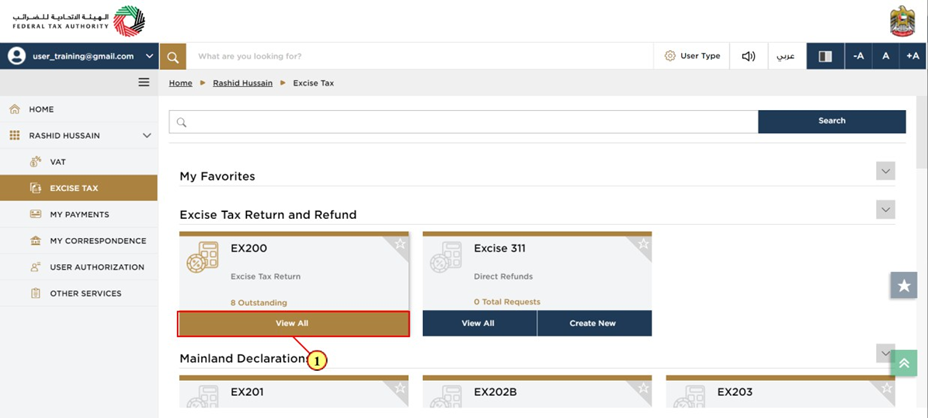
| Step | Action |
| (1) | Click here to view all your Excise Tax Returns. |
Excise Tax Return Dashboard
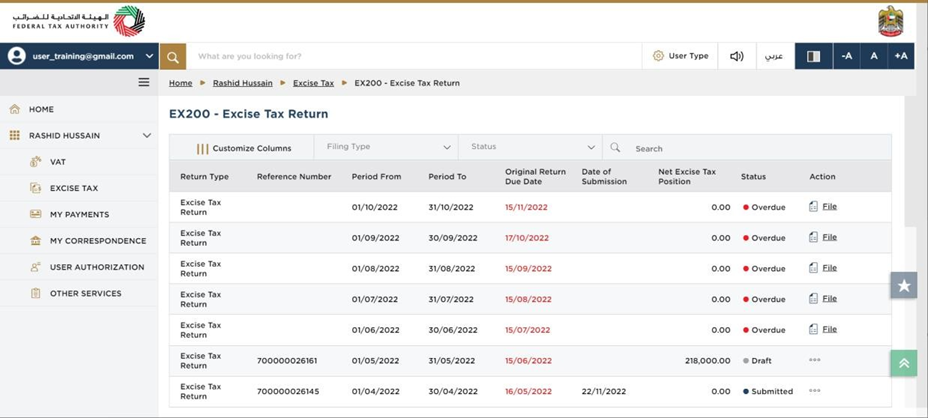
|
This dashboard displays information related to your Excise Tax Return and Excise Tax Voluntary disclosures. |
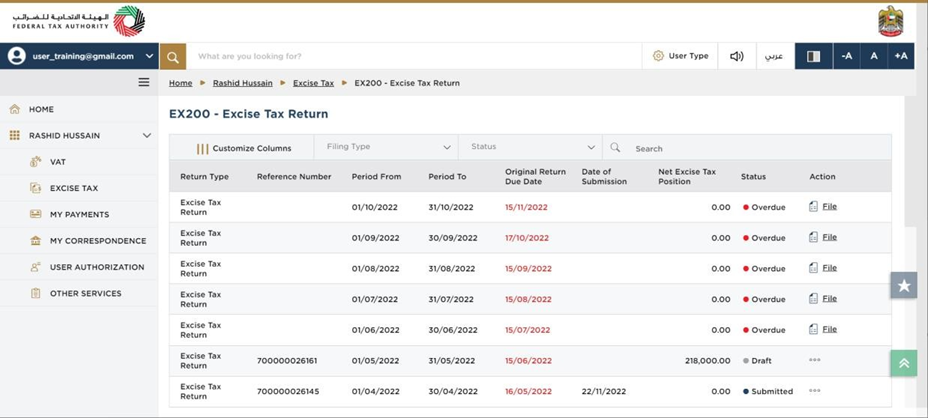
|
You can add a new column to the table or filter the declarations by its Return type and status. You can also search for Excise Tax Voluntary Disclosure by reference number. |
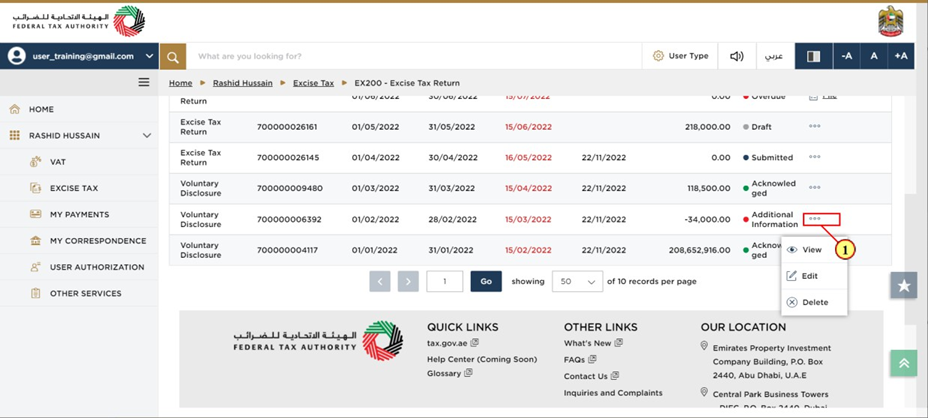
| Step | Action |
| (1) | Click on ellipsis to view the Voluntary Disclosure or to edit the Voluntary Disclosure |
Instructions and Guidelines
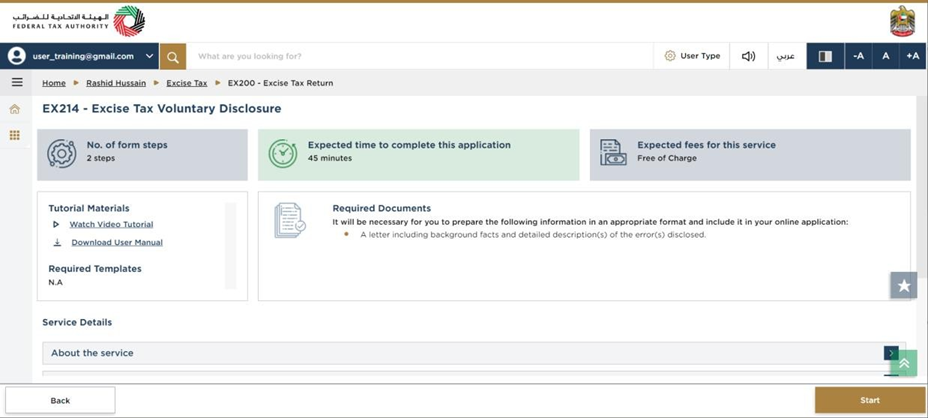
|
These are the instructions and guidelines which detail key information such as required templates, supporting documentation, eligibility criteria and the expected time to complete the Voluntary Disclosure. |
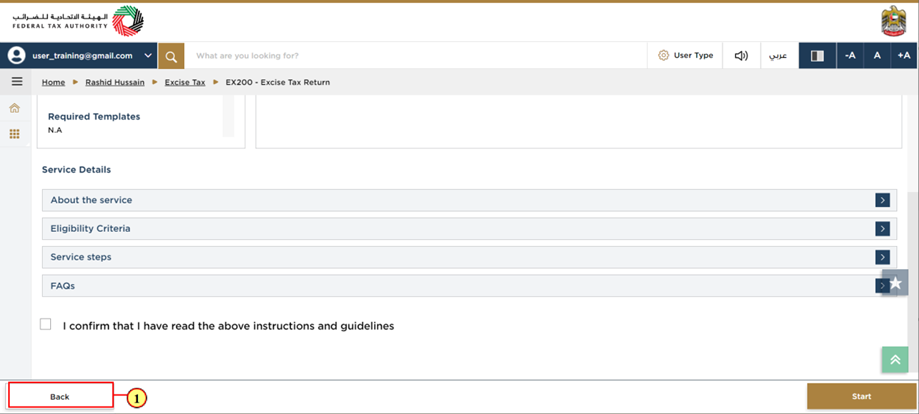
| Step | Action |
| (1) | Click on 'Back' to go back to the previous page |

| Step | Action |
| (1) | Mark the checkbox to confirm that you have read and understood the instructions and guidelines. |
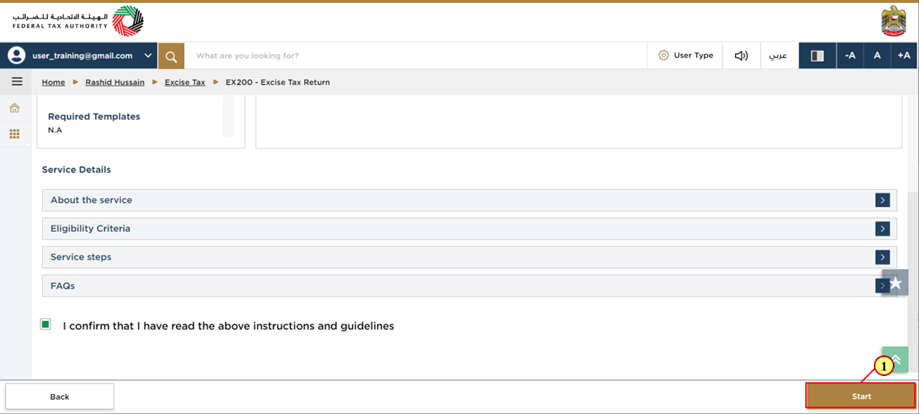
| Step | Action |
| (1) | Click on 'Start' to proceed to file the Excise Tax Voluntary Disclosure. |
Voluntary Disclosure Details
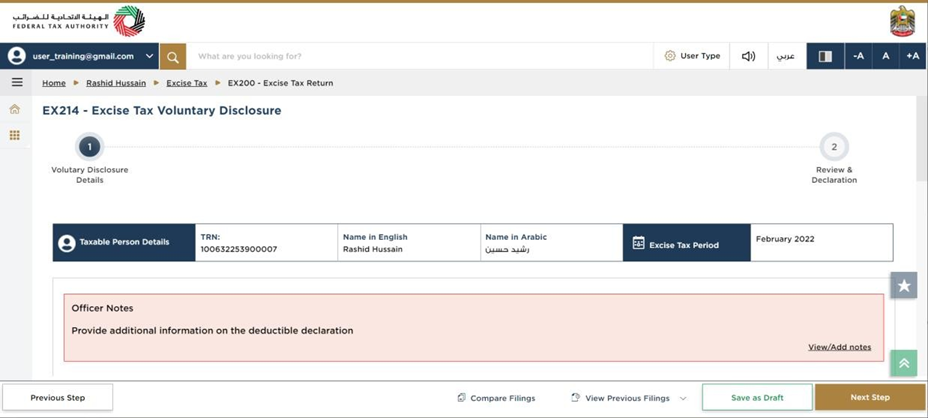
|
The progress bar displays the number of steps required to complete the Excise Tax VD. The step you are currently in is highlighted in blue. Once you progress to the next section successfully, the previous step will be highlighted in green. |

|
The information requested by the FTA officer can be viewed by clicking on 'View or Add Notes'. Update the application with the information requested by the FTA officer – For example, upload additional supporting documents, correct any incorrect details in the application. |
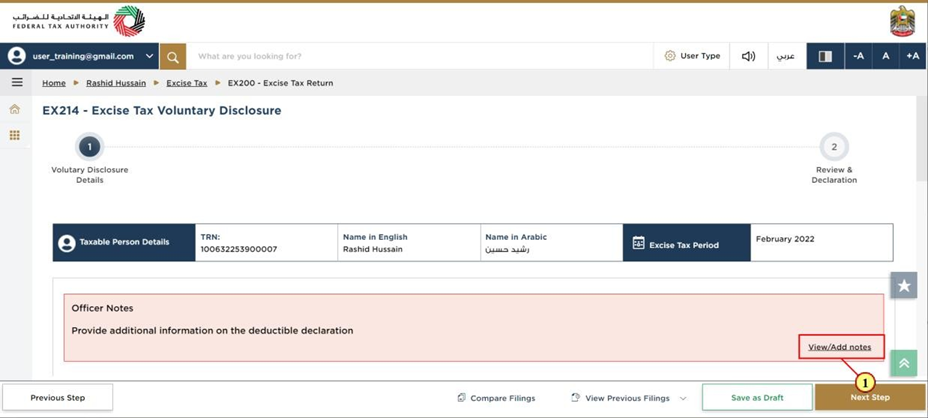
| Step | Action |
| (1) | Click on ‘View/Add notes’ to add notes back to Tax officer. |
View/Add notes
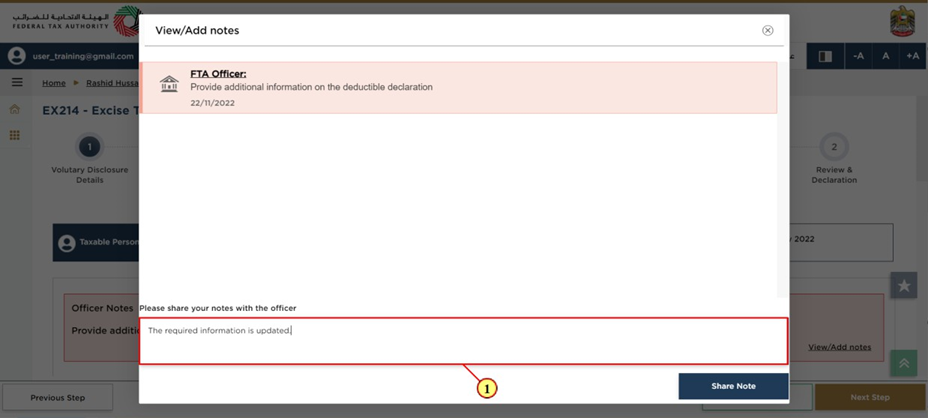
| Step | Action |
| (1) | Enter notes that need to be shared with FTA officer |
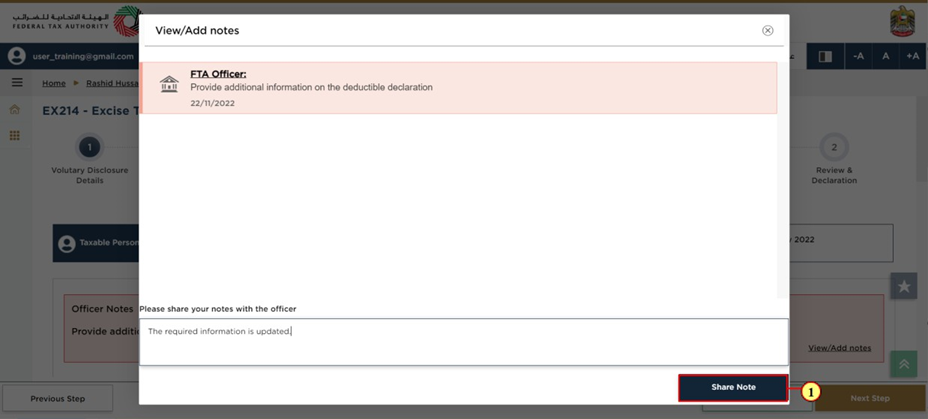
| Step | Action |
| (1) | Click on ‘Share Note’. |
Voluntary Disclosure Details

| Step | Action |
| (1) | Click here to display the values that were previously declared in your Excise Tax Return or Excise Tax Voluntary Disclosure. |
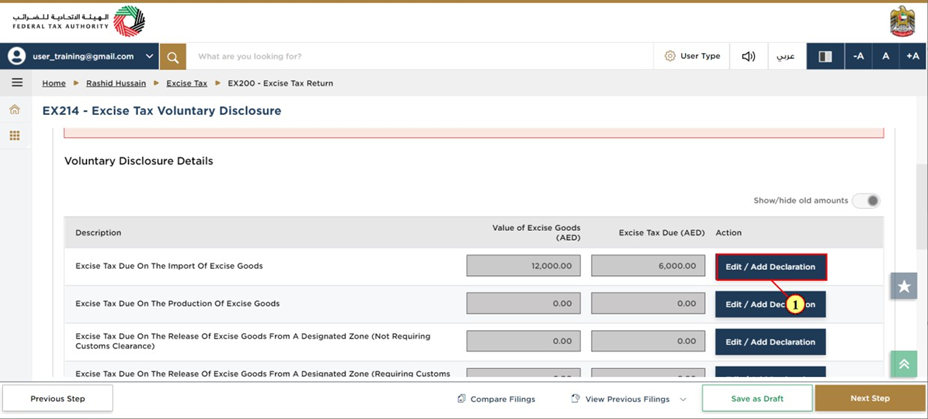
| Step | Action |
| (1) | Click on 'Edit/Add Declaration' to edit an existing declaration or to add a new declaration to the Excise Voluntary Disclosure. |

| Step | Action |
| (1) | Click on 'Add' button or drag & drop your files to upload supporting documents. On successful upload of document, the Add button will be highlighted in green |
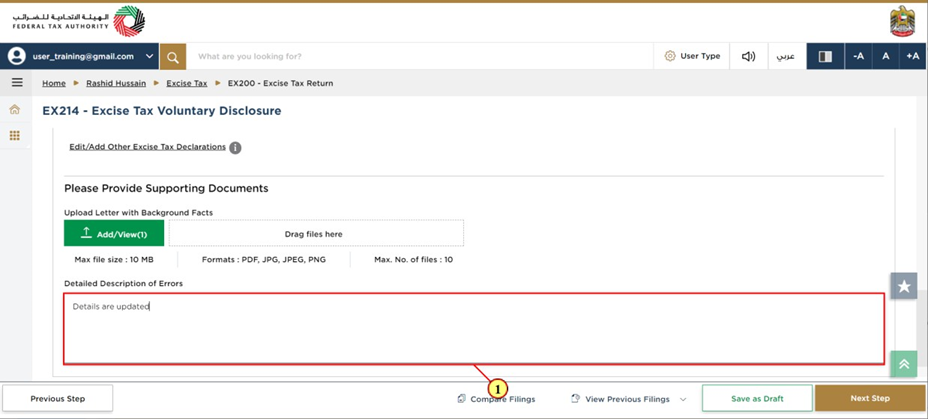
| Step | Action |
| (1) | Enter detailed description of errors. |
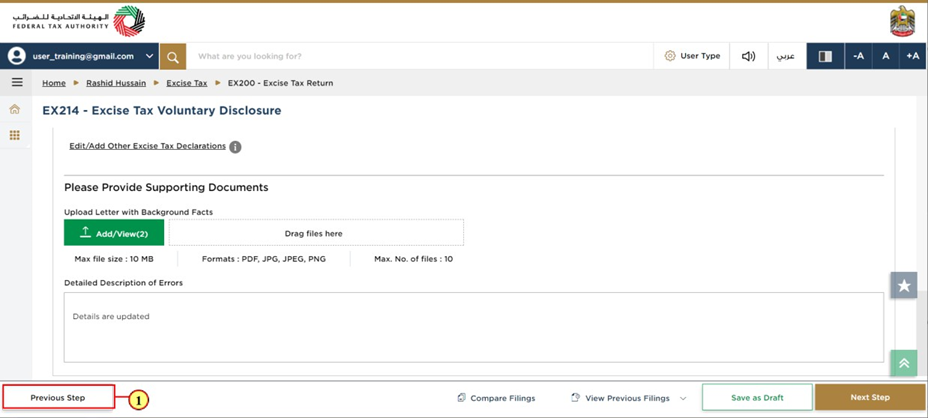
| Step | Action |
| (1) | Click on Previous' to go back to the previous section |
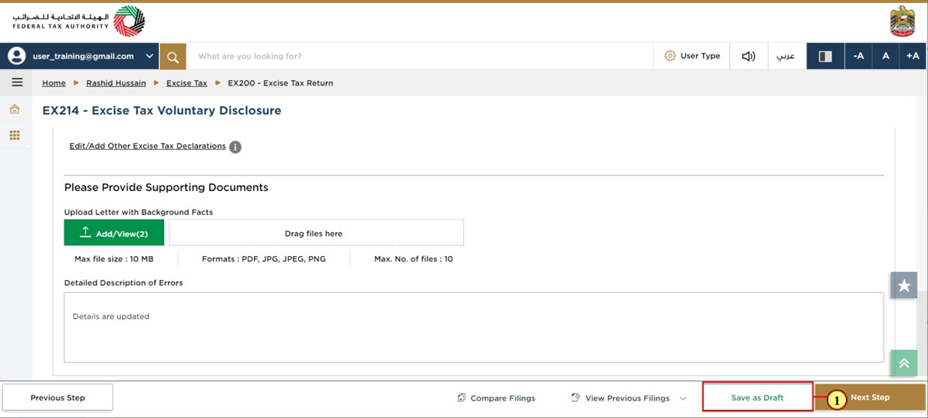
| Step | Action |
| (1) | Click on 'Save as draft' to save the Excise Voluntary Disclosure as a draft. |

| Step | Action |
| (1) | Click on 'Next Step' to proceed to the next section |
Excise Goods
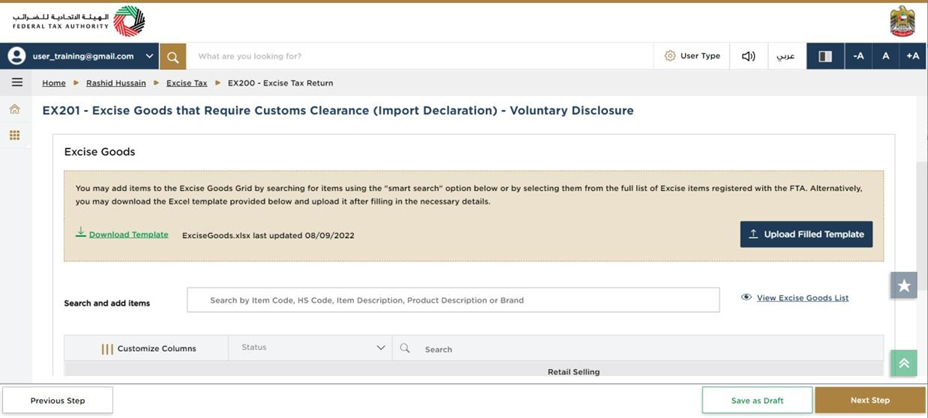
|
You can add Excise Goods to below table using the upload template or by searching using HS Code or Item Code. You can... |