Register as an Online User - User Manual
Status
Issuing Authority
Document Control Information
Document Version Control
|
Version No. |
Date |
Prepared/Reviewed by |
Comments |
|
1.0 |
01-Oct-2022 |
Federal Tax Authority |
User Manual for EmaraTax Portal |
Annexure
The below are the list of User manuals that you can refer to
|
S.No |
User Manual Name |
Description |
|
1 |
Register as Online User |
This manual is prepared to help you navigate through the Federal Tax Authority (FTA) website and create an EmaraTax account with the FTA. |
Navigating through EmaraTax
The Following Tabs and Buttons are available to help you navigate through this process
|
Button |
Description |
| In the Portal | |
The Federal Tax Authority offers a range of comprehensive and distinguished electronic services in order to provide the opportunity for taxpayers to benefit from these services in the best and simplest ways. To get more information on these services Click Here
Register as an Online user
Introduction
This manual is prepared to help you navigate through the Federal Tax Authority EmaraTax Portal and create an EmaraTax account, with the FTA.
|
Step |
Action |
|
(1) |
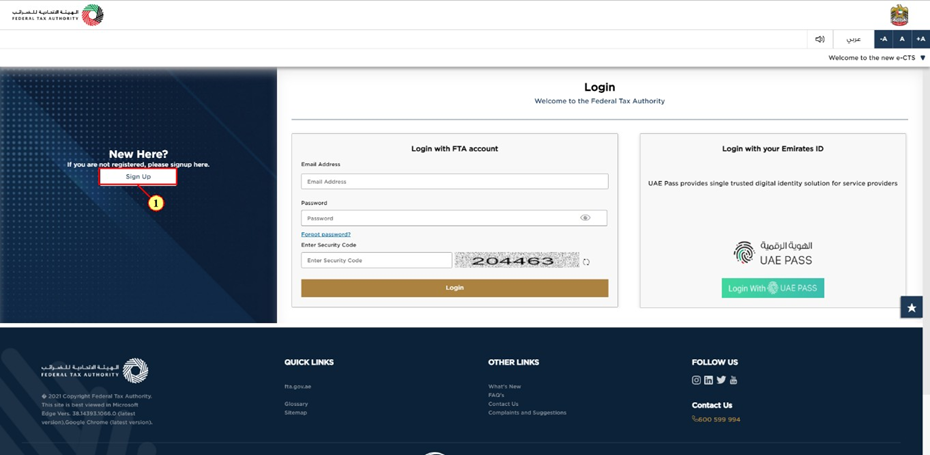
• When you arrive at the EmaraTax portal, you will notice the options to 'Sign Up' the EmaraTax account. • To create an account, simply click on the' Sign up' button.
|
|
Step |
Action |
|
(1) |
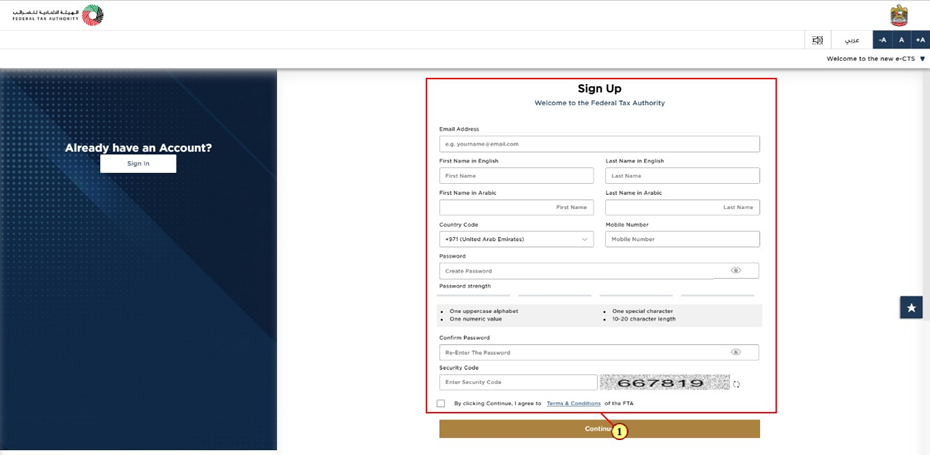
"In order to signup for the EmaraTax user profile, please enter the following details" • Enter a working email address with which you want to register yourself with FTA. This will be your unique identification for your EmaraTax account. • Enter your First name and Last name in English as well as Arabic. • Enter your mobile number with country code. • Enter an unique password. You are advised to keep a strong password as per the instructions mentioned herewith. Re-enter the password to confirm. • Enter the security code as shown in the figure. |
|
Step |
Action |
|
(1) |
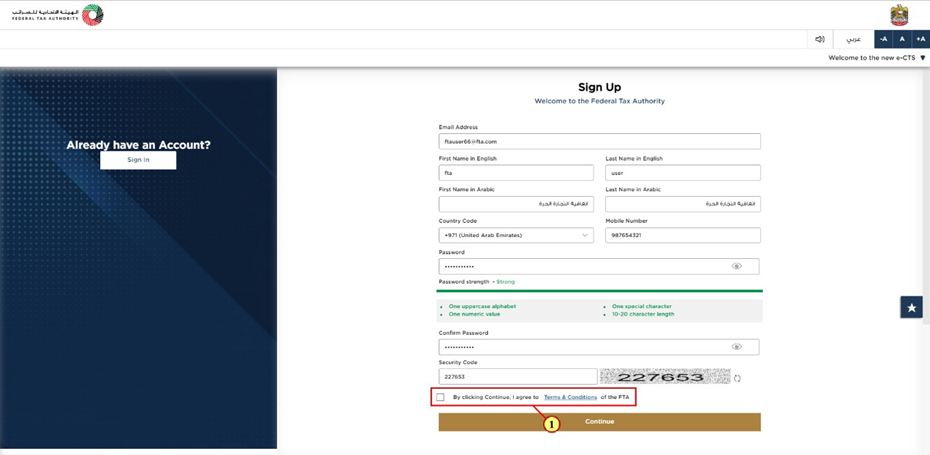
Please read the Terms & Conditions of the FTA in relation to using EmaraTax. Select the checkbox to agree to the Terms and Conditions. |
|
Step |
Action |
|
(1) |
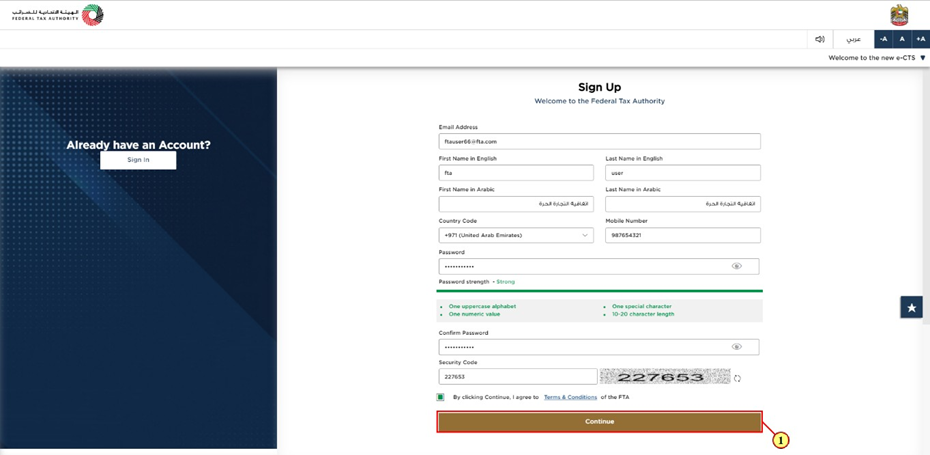
Click 'Continue' to proceed to the next step in the Sign Up process.
|
|
Step |
Action |
|
(1) |
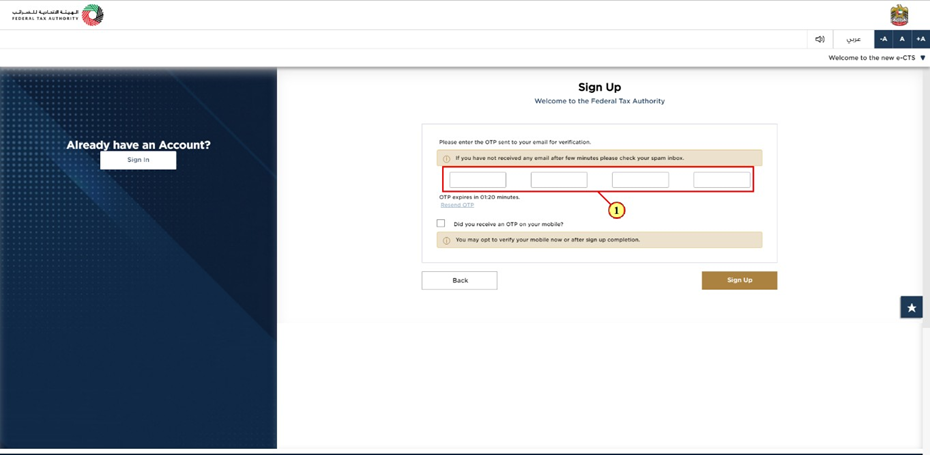
• You will receive an email at your registered email address containing an One Time Password (OTP). Enter the OTP you have received in your email. • Please note that the OTP is only valid for short duration indicated through a timer in this page. In case the OTP is expired, click ‘Resend OTP’ link to receive a new OTP. • If you choose to verify your mobile number, please select the checkbox 'Did you receive an OTP on your mobile' and enter the OTP received in your mobile number. |
|
Step |
Action |
|
(1) |
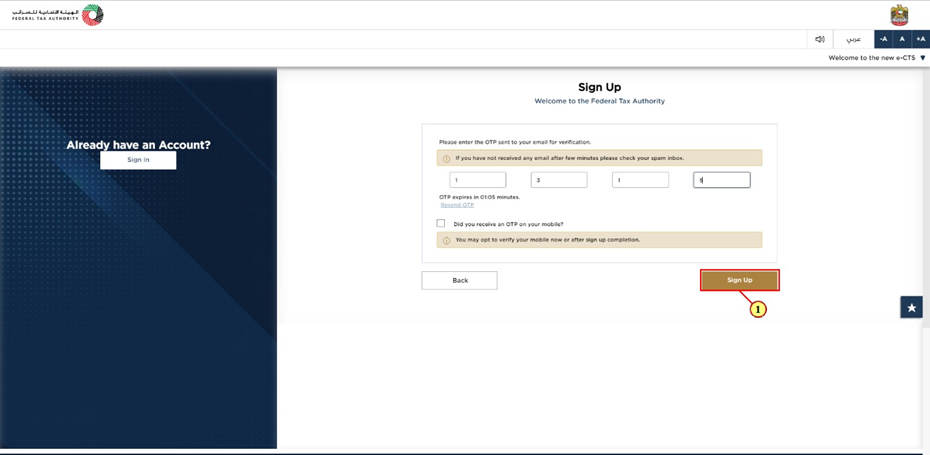
Click 'Sign Up' to complete the Sign up Process. |
|
Step |
Action |
|
(1) |
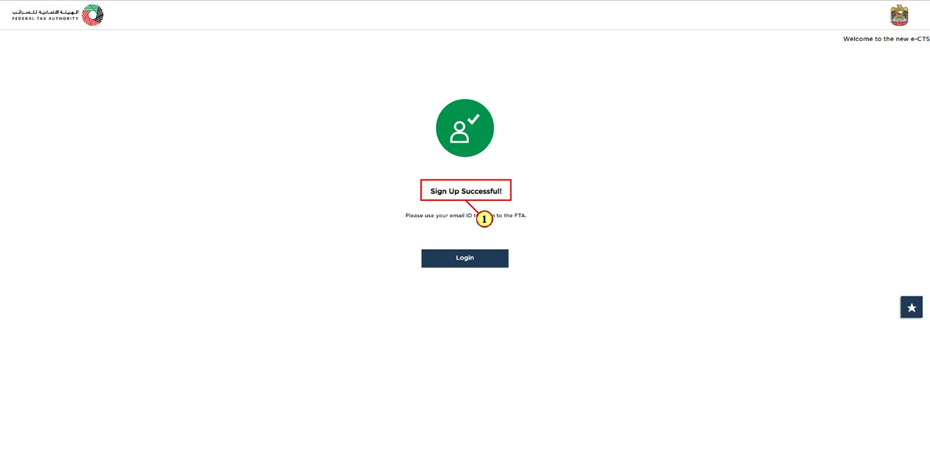
Your user profile is now successfully registered with the FTA. You will be able to login using your credentials.
|
|
Step |
Action |
|
(1) |
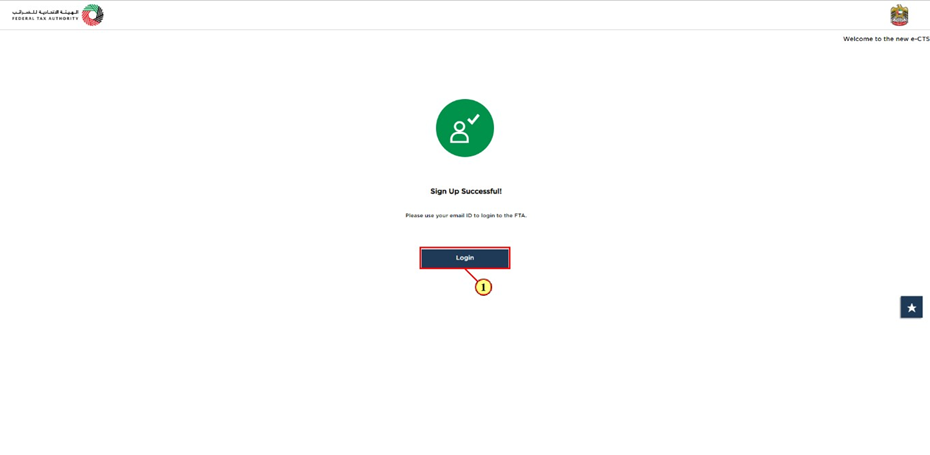
Click 'Login' to be routed to the EmaraTax home page to login. There are a number of dedicated services available to you which... |