GPSSA User Guide - Employers Registration
Status
Issuing Authority
This service allows the registration of an employer with GPSSA, enabling the authorized representative(s) of the employer to access and utilize the GPSSA services through the the Maashi platform on the website.
Step 1
Log in to the Ma’ashi platform using your “UAE PASS”.

Step 2
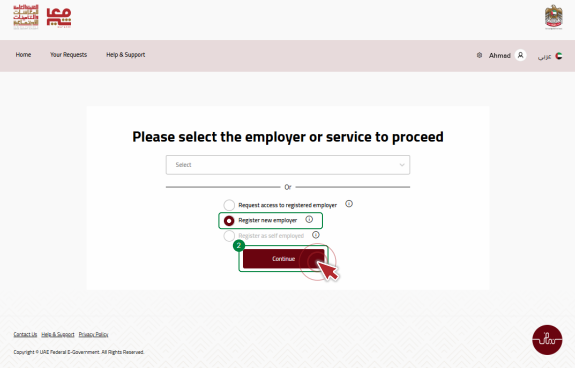
Select “Register New Employer”.
Then click on “Continue”.
Step 3
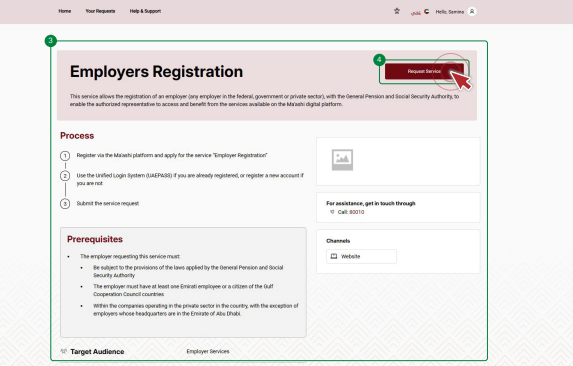
Learn more about the “Employers Registration” service, and the process and pre-requisites that need to be met for the service.
Step 4
Click on “Request Service” to initiate a request to register an employer.
Step 5
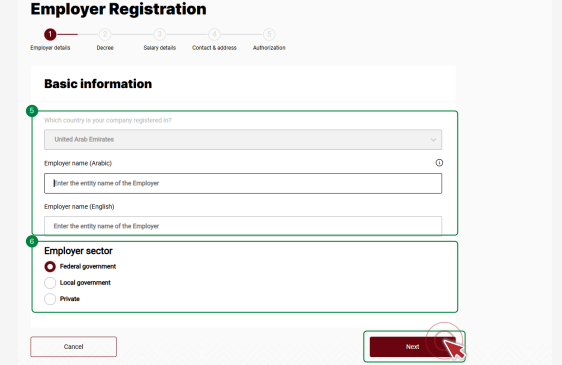
Provide basic information about the employer.
Step 6
Choose the employer sector of your entity and follow the required steps to proceed with the service.
Each sector has a different proceedure.
Click “Next” to continue.
Note:
Individuals applying in the Private sector, can skip to step 17 to progress the service request.
Step 7
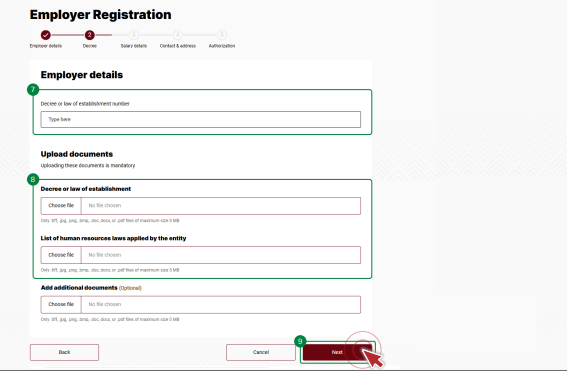
For the Federal and Local Government Sectors, start with filling out the “Decree or law of establishment number”
Step 8
Proceed by uploading the mandatory documents including:
- Decree or Law of establishment
- List of human resources laws applied by the entity
Step 9
Click “Next” to continue.
Step 10
Select the salary components relevant to your entity. The default percentages are as per GPSSA law.
Step 11
Click on “Next” to continue to the next part of the Employer Registration process.
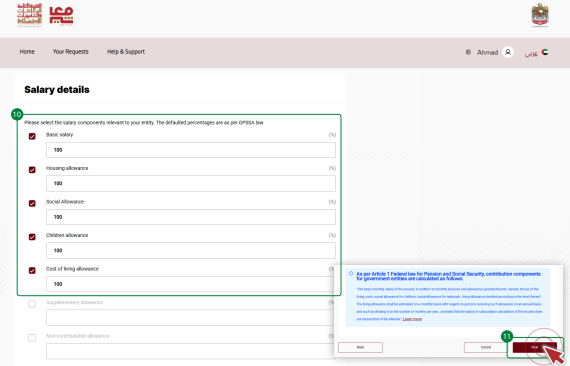
Step 12
Specify the Emirate of your entity’s address and Fill in the Organization contact details.
Step 13
Click “Next” to continue.
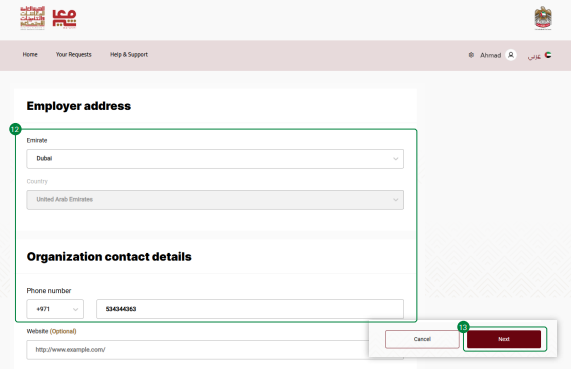
Step 14
Indicate whether you’re the signatory authority of the company or not and add your corporate Email ID.
Step 15
Upload the Authorization document of signatory authority.
Step 16
Click on “Submit” to progress the service.
Note:
Individuals applying in the Federal and Local government sector, can skip to step 29 to proceed with the service.
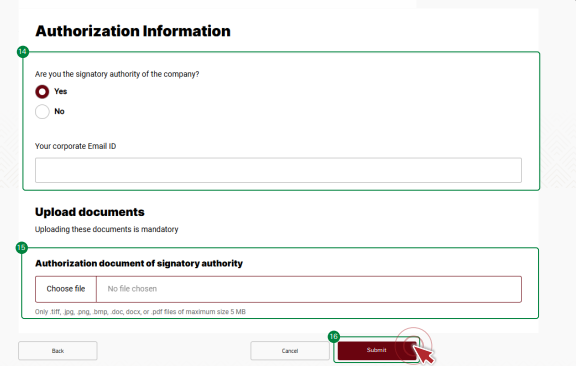
Step 17
If the entity is a Private Sector, Choose “Private” from the Employer Sector in the first step of the Employers Registration.
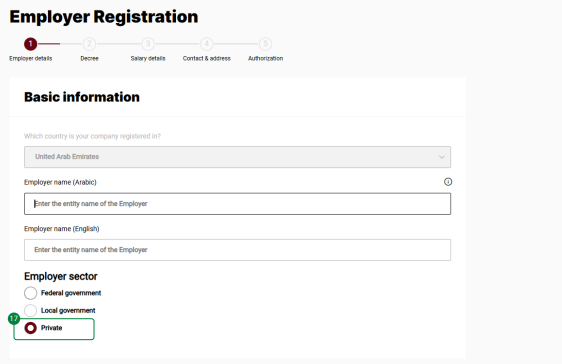
Step 18
Indicate if the entity is a headquarters...